An iPhone app by Aleksei Bukhalov
Mole Tracker: Skin Check Diary
Keep the photos of each mole together. Start with pictures already on your iPhone, compare two dates in detail, and bring a dated PDF photo report to your dermatologist.
See how your photo history comes together
Screenshots show a demonstration record. The app does not analyze images or measure changes.
Get Mole Tracker — $2.99 in the USYour Photo History, Ready to Review
Start with Existing Photos
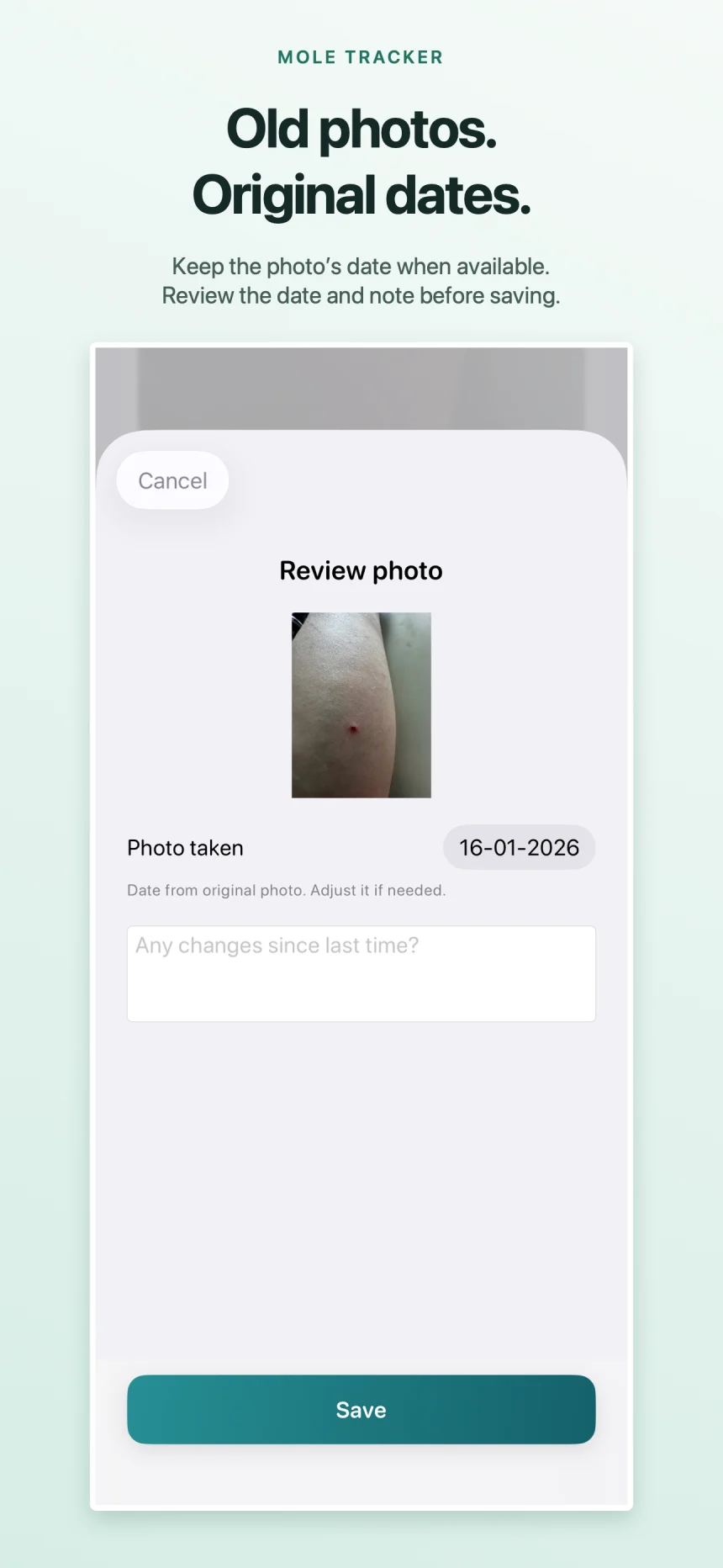
Take a close-up or import a photo. Review the image, date, and note before saving. Original photo dates are used when available, and you can correct them.
A Local Diary You Can Lock
Your photos and notes stay in the app's local storage. Turn on the optional Face ID, Touch ID or passcode lock in Settings. No account, developer uploads or tracking; your sharing choices and device backup settings apply.
Compare Full Screen
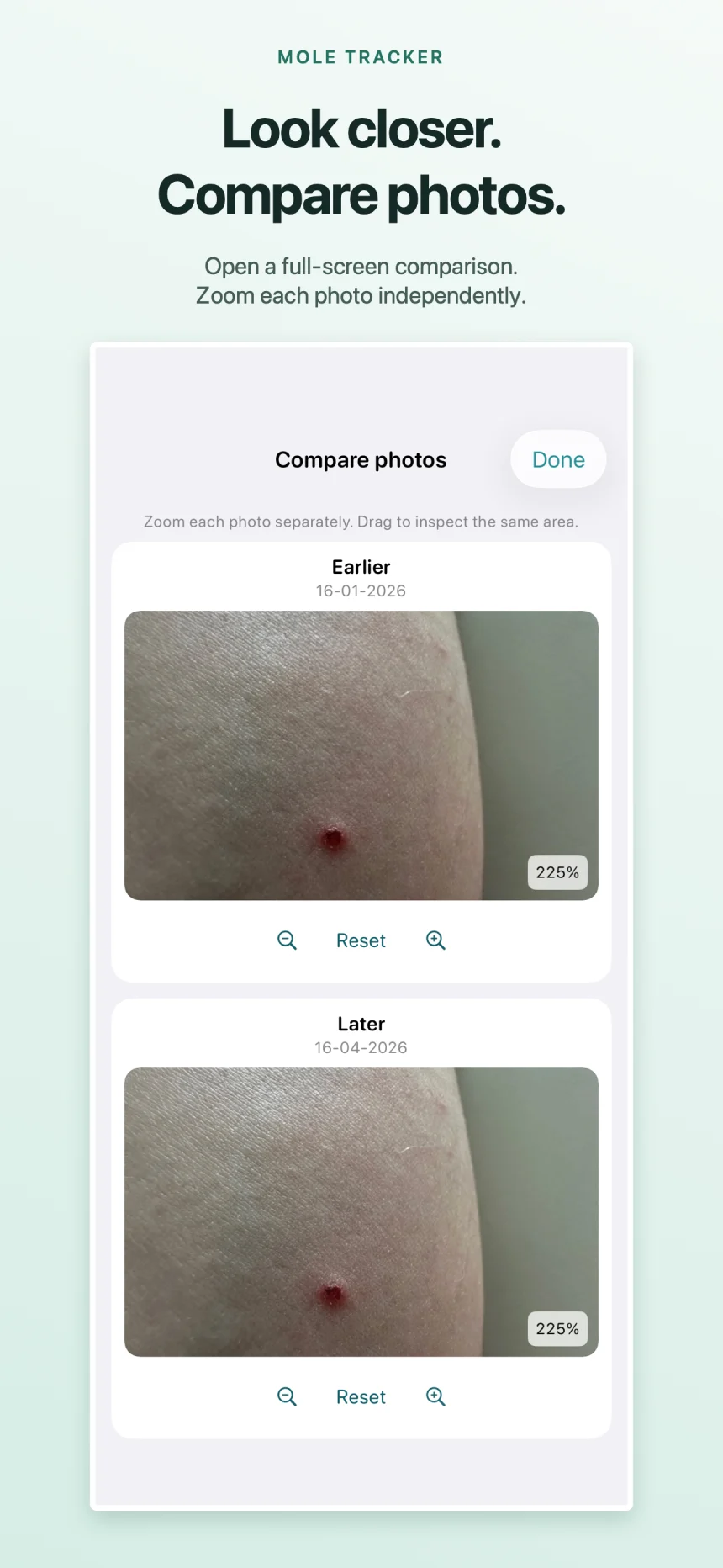
Choose two dated photos and open them full screen. Zoom and move each image for a closer look. The app does not analyze images or measure changes.
A PDF for Your Next Visit
Create a PDF with photos, dates, and notes on your device. Choose when and how to share it with your dermatologist.
View a sample report (PDF, 1 page, 147 KB). Uses fictional notes and dates with clearly labeled illustrations, not patient photographs.
Monthly Reminders
Set an optional monthly reminder to update your photo diary. Follow your clinician's advice about when to check your skin.
No Subscription
One purchase includes every feature. No subscriptions, in-app purchases, tiers, or recurring charges.
How It Works
Pick a body area and name the spot
Take a close-up or import an existing photo
Review the photo, date, and note before saving
Add another dated photo, compare full screen, and share a PDF for your visit
Before you buy
Why use this instead of a photo album and a note?
An album and a separate note may be enough for you. Mole Tracker brings each spot's photos, dates and notes into one history, lets you compare two dates with independent zoom, and assembles the PDF for you. The one-time purchase pays for that organization and export workflow.
See the sample PDF before deciding. The sample uses fictional records and labeled illustrations.
Can I use photos I took before installing the app?
Yes. Import a photo into the matching spot. Its original date is used when available; if it is missing, the app asks you to check the date before saving. You can add a note and correct the date later.
Can it tell me whether a mole is concerning?
No. Mole Tracker does not assess risk, analyze photos or diagnose skin conditions. You choose which photos to compare and what to share with your dermatologist.
Can I move my diary to another iPhone?
Use Save a backup in Settings. The file includes the photographs as well as your records. Keep a copy somewhere you can recover it, then restore it in the app on the other iPhone. Restoring replaces the destination app's existing diary.
What can I share with my dermatologist?
Export one spot or your complete history as a PDF containing photos, dates and your notes. You choose how to share it. Ask the practice which format and delivery method it accepts.
Need a starting point? Read the photo organization guide.
View Mole Tracker on the App StoreSupport
Need help or want to report a bug?
Email: skinlog@bukhalov.com
Mole Tracker is a personal photo organizer. It does not diagnose, treat, or analyze skin conditions. Always consult a qualified dermatologist for any skin concerns.
Also by Aleksei Bukhalov: Inhale — Breathing Exercises · MenoLog — Menopause Tracker