Turntable speed and workshop RPM for iPhone
Stillspin Strobe Tachometer
Point your iPhone's torch at a spinning part and sweep until it appears still. See the candidate speeds behind the pattern and ways to check them.
Adjusting a record player? The camera turntable screen in the optional unlock keeps reading while you adjust the speed. Your iPhone stays beside the platter, aimed at one paper marker.
Stillspin is available on the App Store in the US and Germany. The iPhone app includes a free strobe and an optional one-time unlock for the camera and microphone routes.
Two ways to check what is turning
Continuous turntable speed, in the unlock
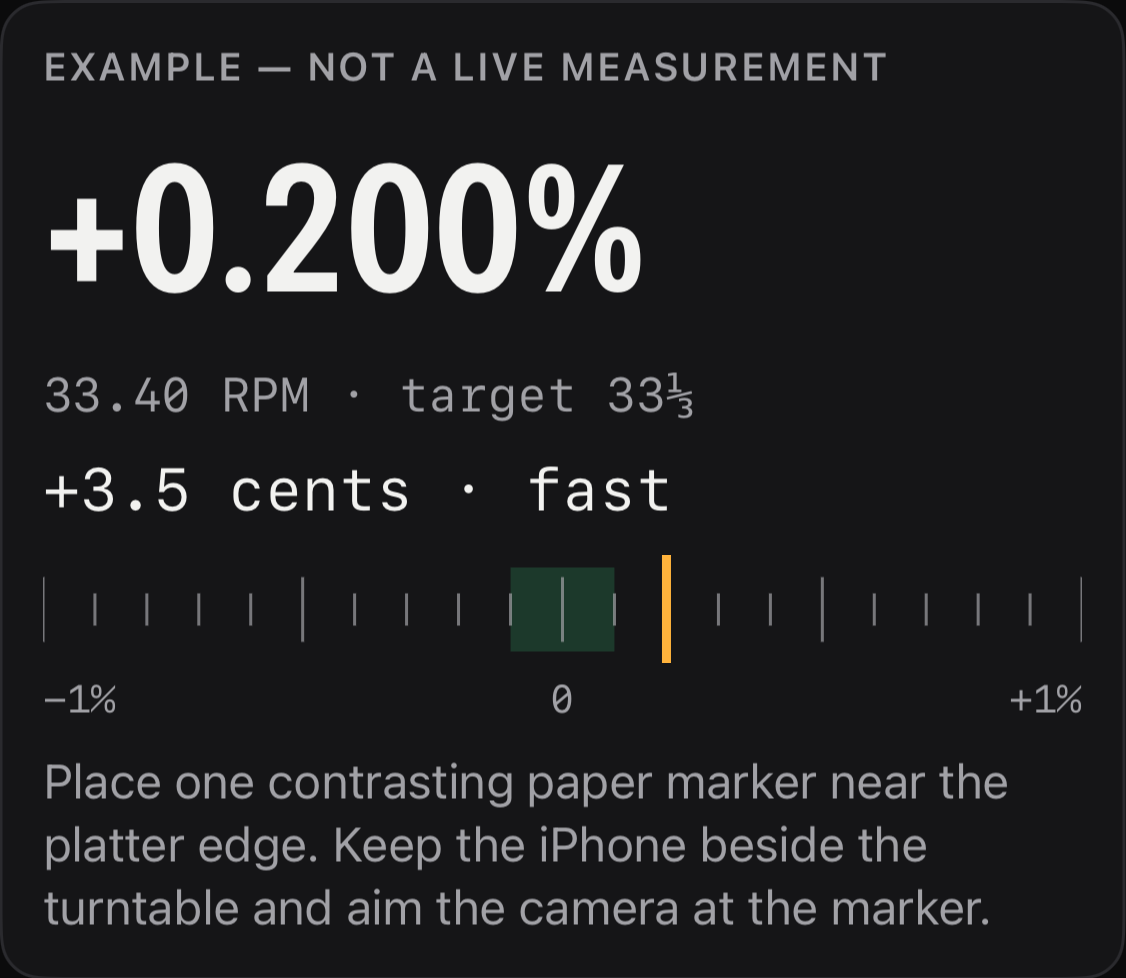
Put one small paper marker near the platter's edge. Rest your iPhone beside the turntable, aim the camera box at the marker and lock exposure. Choose 33⅓, 45 or 78 RPM to see the difference in percent and cents of pitch. The reading and trend keep updating while you turn the speed adjuster; the phone stays off the platter.
A free torch strobe you sweep
The rear torch lights the spinning part while the reading, flash rate and marks per turn stay visible on your iPhone. Sweep with hold-to-repeat steps of 5%, 0.5% and 0.05%, or tap the reading to type a speed in RPM or Hz. The app says when a requested rate exceeds the current light source's range. Screen light is available separately as an optional fallback.
Possible speeds behind a held setting
A spinning object can appear still at different flash rates. After you hold the flash setting, the app shows a bounded set of candidate speeds with their marker and harmonic assumptions. Other speeds may also fit, so the list helps you check the reading but does not prove which speed is true.
A turntable strobe check in the free tier
Pick 33⅓, 45 or 78 on the strobe screen to set the flash target. That target is not a measured platter speed or a calibration of the light. Time a marker’s drift to estimate the difference in percent and cents of pitch; when the interval cannot resolve the difference, the app says so.
Record a strobe video
The recorder makes an eight-second clip with the flash setting and candidate notes overlaid. If the flash is off, recording switches it on for the clip and off again afterwards. Whether an iPhone camera reproduces the apparent freeze you see has not been verified on a real iPhone; the clip may look different. No sound is recorded, and you choose whether to share the clip.
A guided first freeze
After the safety notice and a short report of what this iPhone can flash, a card on the strobe screen follows what you are doing: where to point the light, when to sweep, when to hold the flash setting, and what that setting means.
Camera, sound and a second opinion
The same one-time unlock includes an optical tachometer for a visible mark and an acoustic route for repeated machine sounds. Compare checks candidate RPM readings from different methods. A disagreement may come from marker counts or harmonics, but the ratio alone cannot identify its cause. Each method shows its signal and limits.
It says what it has not verified
Every measuring screen carries three lists: what the method can do, what it cannot, and what nobody has measured yet. The screen ceiling is arithmetic from the refresh rate the iPhone reports; Apple publishes no switching rate for the torch; no reading has been compared against a reference tachometer.
Readings stay on the iPhone
Saved readings live in one file inside the app. Camera and microphone frames are analysed as they arrive and never kept; the strobe video is the one file made from the camera, and it is deleted when you leave that screen.
What the turntable readings will not tell you
Both turntable routes compare platter speed with the selected 33⅓, 45 or 78 RPM target. They do not measure wow and flutter, rumble or audio quality. An off-centre record can still sound wrong when the platter is on speed.
No reading has been compared against a reference tachometer. Stillspin is for hobby and workshop checks, not calibration or certification. Read the safety and measurement limits before using it.
What it asks for
The camera, for the optical method, the turntable screen and recording a freeze. The microphone, for the sound method only. Adding a clip to your photo library, only if you choose Save Video in the share sheet. iOS asks before each, and declining one leaves the other methods working.
What is free, and what the unlock adds
Free: the torch strobe, typed rates, held flash setting, candidate RPM ladder, guided setup, Check by timing the drift, turntable strobe check, emitter check and strobe video.
One-time unlock: continuous camera turntable readings, the optical tachometer, sound RPM and Compare. One purchase opens all four; there is no subscription. Saved readings remain readable whichever method took them.